
How Fiber Media Converter Manufacturers Design Optical Solutions
As one of the fiber media converter manufacturers, we at Wintop understand that designing optical communication solutions requires a balance of performance, compatibility, and long-term stability. Fiber media converters are widely used to bridge copper Ethernet networks with fiber optic infrastructure, especially in surveillance systems, enterprise networks, and industrial applications. The design process behind these devices is more complex than it may appear, as it must address multiple technical and operational requirements at the same time.
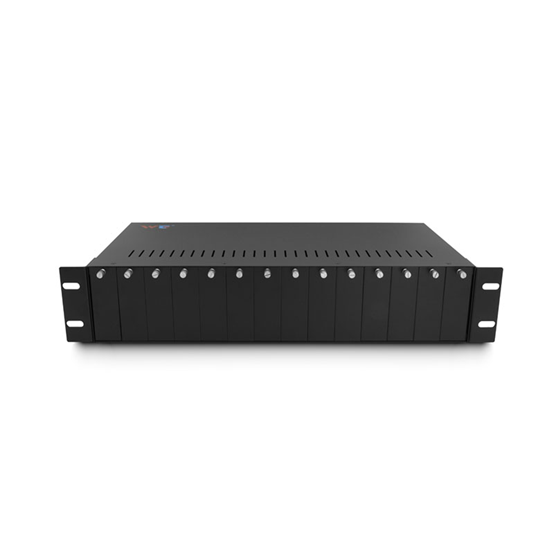
Defining Application Requirements First
When we design optical solutions, the first step is always application analysis. Different users have different needs, such as extending network distance, improving transmission stability, or integrating mixed network environments.
For example, surveillance systems may require stable 24-hour transmission over long distances, while enterprise networks prioritize high-speed data transfer with minimal latency. Understanding these scenarios allows us to determine the appropriate optical modules, power configurations, and interface types before hardware design begins.
Selecting Optical Components for Stability
A key responsibility of fiber media converter manufacturers is choosing high-quality optical components. These include optical transceivers, laser modules, and receivers that determine signal accuracy and transmission distance.
We carefully evaluate factors such as wavelength compatibility, fiber type support, and optical budget margins. Single-mode and multi-mode fiber systems require different optical characteristics, so selecting the correct configuration is essential to avoid signal degradation and connection failure in real deployments.
Ensuring Electrical and Optical Integration
Designing fiber media converters is not only about optical performance but also about electrical and network integration. The device must convert Ethernet signals into optical signals efficiently while maintaining low latency and stable throughput.
We focus on optimizing circuit board design, reducing electromagnetic interference, and ensuring that power systems can support continuous operation. In PoE-enabled models, power regulation becomes even more important to ensure consistent delivery to connected devices without instability.
Addressing Environmental and Deployment Conditions
Fiber media converters are often deployed in environments with varying temperature, humidity, and installation constraints. As manufacturers, we must design products that maintain stable performance under these conditions.
This includes selecting industrial-grade components, improving heat dissipation structures, and designing protective housings. In some applications, such as outdoor surveillance or transportation systems, resistance to dust and temperature fluctuations is essential for long-term reliability.
Testing and Quality Validation
Before any product reaches the market, we conduct multi-stage testing. This includes optical signal testing, network throughput validation, and stress testing under continuous operation.
We also simulate real-world deployment scenarios to ensure compatibility with different switches, routers, and fiber infrastructures. This process helps reduce failure rates and ensures that the final product performs consistently in diverse network environments.
Conclusion
The design of optical solutions by fiber media converter manufacturers involves careful coordination between application requirements, optical component selection, electrical integration, environmental adaptation, and rigorous testing. Each stage directly impacts the reliability and performance of the final product.
At Wintop, we focus on delivering fiber media converter solutions that meet practical deployment needs with stable performance and strong compatibility. Wintop welcomes you to explore our product range and contact us for reliable optical networking solutions tailored to your project requirements.