
Managed vs Unmanaged Switches: Which One Actually Keeps Your Network Secure?
Ethernet networks range from small, stable installations that need straightforward connectivity to complex industrial systems that require segmentation, monitoring, and redundancy. Unmanaged and managed Ethernet switches serve different network needs. The better choice depends on network size, traffic types, uptime expectations, and the level of control required. An unmanaged one has become a security decision, not just a budget line. This guide breaks down the differences, why they matter, and which switch fits your deployment.

Managed and Unmanaged Switches Serve Very Different Security Needs
A managed switch gives administrators direct control over network traffic; an unmanaged switch does not. Because an unmanaged switch has no administrative configuration interface, it forwards Ethernet frames automatically based on learned MAC addresses, without giving administrators control over VLANs, traffic policies, or monitoring. A managed gigabit switch, however, lets network teams create virtual LANs (VLANs), prioritize traffic, and monitor performance in real time.
This distinction matters because industrial networks carry more than office email and file transfers. They carry command signals to industrial equipment, live video feeds, and safety monitoring data. Losing visibility into any of that traffic is not just inconvenient — it can halt production.
Feature | Unmanaged Switch | Managed Switch |
Configuration | None required | CLI + web interface |
Traffic segmentation | Not available | VLAN support |
Redundancy | None | Ring protection (STP/RSTP) |
Monitoring | None | SNMP-based network management |
Typical use case | Small, flat networks | Industrial, security-critical networks |
An Unmanaged Switch Leaves Blind Spots That Put Your Network at Risk
An unmanaged switch cannot isolate a fault, so one failing device can disrupt an entire network segment. Because there is no traffic prioritization, congestion spreads unpredictably, and administrators have no way to see where a problem started. This lack of visibility is precisely why so many facilities upgrade to a layer 2 managed switch once their network grows past a handful of devices.
Why Downtime Gets Expensive Fast
Even a short outage caused by an undetected loop or overloaded port can translate into a meaningful financial hit, since lost production time, idle labor, and delayed shipments all add up quickly on a continuous operation. Therefore, the ability to detect and isolate a fault before it spreads is not optional for facilities running around the clock.
Why Flat Networks Are Easier to Attack
An unmanaged switch treats every device on the same broadcast domain, so a single compromised device can potentially reach every other device on that segment. As a result, there is no way to contain a breach or limit which systems can talk to each other. A flat network is convenient to set up, but it offers no internal boundaries once something goes wrong.
A Layer 2 Managed Switch Secures Traffic Through VLANs, Access Control, and Redundancy
A Layer 2 managed switch protects a network by segmenting traffic, restricting access, and rerouting around failures automatically. Layer 2 refers to the data link layer, where switches forward traffic using media access control (MAC) addresses rather than IP addresses. For most industrial deployments, where devices sit on the same network segment, this is sufficient without the added complexity of routing.
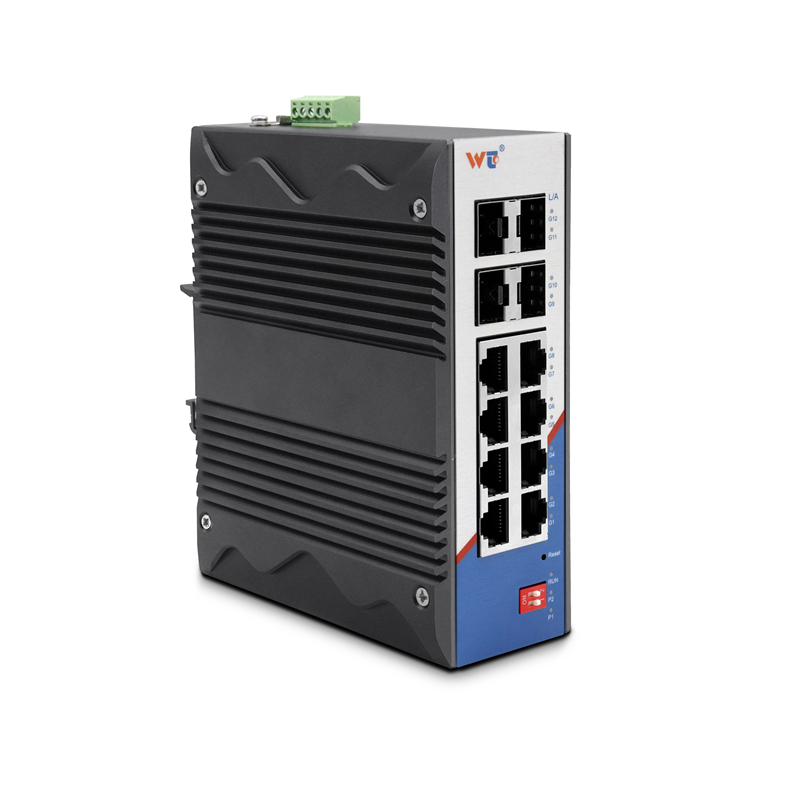
What Wintop's Layer 2 Managed Switch Line Includes
Wintop has spent 21 years building industrial networking equipment, and its layer 2 managed switch lineup covers a range of port counts and mounting styles.
l CM6328-2GF26GT: 26 Gigabit copper ports plus 2 Gigabit SFP fiber ports, rack-mounted metal enclosure, IP30-rated
l CM6320-2GF18GT: 18 Gigabit copper ports plus 2 Gigabit SFP fiber ports, rack-mounted, same IP30 enclosure
l RS6312-4GF8GT: 8 Gigabit copper ports plus 4 Gigabit SFP fiber ports, DIN-rail mounted, IP40-rated aluminum enclosure
l RS6310-2GF8GT: 8 Gigabit copper ports plus 2 Gigabit SFP fiber ports, DIN-rail mounted, same IP40 enclosure
The higher-port models add full command line interface (CLI) access for administrators who want scripted control, while the compact models keep setup simple through a web interface and physical dial switches.
Which Security Features Matter Most for Industrial Networks
Every model supports 802.1Q VLAN tagging across up to 4,094 VLAN IDs, letting administrators separate traffic by department, device type, or security zone. All four switches also support SNMP-based monitoring, though the rack-mounted CM6328-2GF26GT and CM6320-2GF18GT add SNMP v3 and ACL-based access control on top of the SNMP v1/v2c baseline shared by the whole line.
For networks that cannot tolerate downtime, all four models support STP/RSTP ring protection. The rack-mounted CM6328-2GF26GT and CM6320-2GF18GT are additionally rated for a sub-20-millisecond switching time when a link fails.
Application Scenarios Determine Which Switch Enclosure Fits Best
The environment a switch operates in — not just its port count — determines whether a rack-mounted or DIN-rail enclosure is the right choice. Placing the wrong enclosure type in the wrong setting creates real risk, from thermal shutdown to dust ingress to power incompatibility.
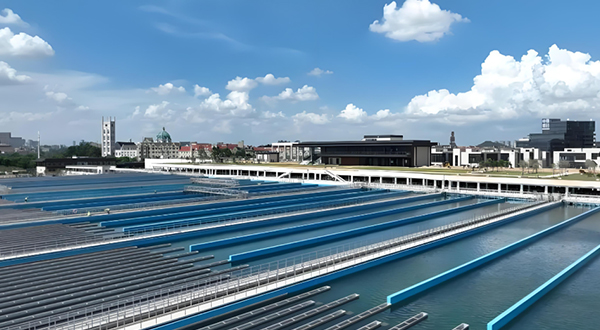
Server Rooms and Control Cabinets Favor Rack-Mounted Switches
Indoor, climate-controlled spaces such as server rooms, network operations centers, and equipment cabinets typically already run on standard AC power and don't face dust or moisture exposure. A rack-mounted switch slots directly into a standard 19-inch rack alongside other networking gear, which keeps cable management and airflow predictable. This setup suits sites where administrators need higher port density in a single enclosure, such as a building's main distribution frame or a data closet serving multiple departments.
Field Cabinets and Substations Require DIN-Rail Hardened Switches
Outdoor or field-based sites — substations, roadside traffic cabinets, rail trackside equipment, and remote pump stations — expose hardware to vibration, dust, and wide temperature swings that a standard rack switch isn't built to handle. These sites also often run on DC power from battery or solar backup rather than grid AC. A fanless, DIN-rail switch mounts directly into an existing control cabinet without added rack infrastructure, and its sealed enclosure avoids the maintenance burden of a fan-cooled unit in a dusty environment.
Environment | Main Challenge | Enclosure Type |
Server room / control cabinet | High port density, standard AC power | Rack-mounted |
Substation / field cabinet | Dust, vibration, temperature extremes | DIN-rail |
Transportation trackside | Constant vibration, DC power only | DIN-rail |
Office network closet | Easy rack integration | Rack-mounted |
Once the enclosure type fits the site, the remaining choice comes down to matching port count and power input to what the deployment actually needs.
Choosing a Managed Switch Is the First Step Toward a Secure Network
An unmanaged switch might work for a small, low-stakes setup, but any network carrying critical data needs the visibility and control that only a managed switch provides. Whether the deployment calls for a rack-mounted unit in a server room or a DIN-rail switch built for a field cabinet, matching the hardware to the environment is what turns a basic upgrade into a real security improvement. For teams evaluating managed gigabit switch options, comparing port count, power input, and enclosure rating against the deployment site is the fastest way to narrow down the list to the right model.